How to create a League of Legends account
You create a Riot Account to play League of Legends. Registration, installation and starting the game are free; a paid champion bundle or skin is not an entry requirement. If you already use a Riot Account for another Riot game, try that account first instead of creating an unnecessary second identity.
This guide covers ordinary PC League of Legends, checked October 22, 2026, in the live 26.21 context. It explains the supported signup route and the decisions that matter, rather than relying on one old registration screenshot. Regional requirements and the order of some prompts can vary. Follow the current official form when it requests additional verification.
Know which name you are creating
Term | What it means | Who needs it |
Riot Account | The account holding your access and progress | You, across supported Riot services |
Login username | Private name used with your password to sign in | You; do not give it to friends |
Riot ID | Public player identifier | Friends and other players |
Game Name and Tagline | The two parts of a Riot ID, shown as Name#Tag | Friends use the complete combination |
The login username must be globally unique and generally cannot be changed. Your Riot ID is separate and can be changed under its own rules. Changing the display name does not change the credentials used to sign in.
Summoner Name is historical terminology for the former League display-name system. When a current prompt asks for a Riot ID, do not enter your private login username merely because an older guide calls both fields a username. Keep the account credentials private and share the public Name#Tag when someone wants to add you.
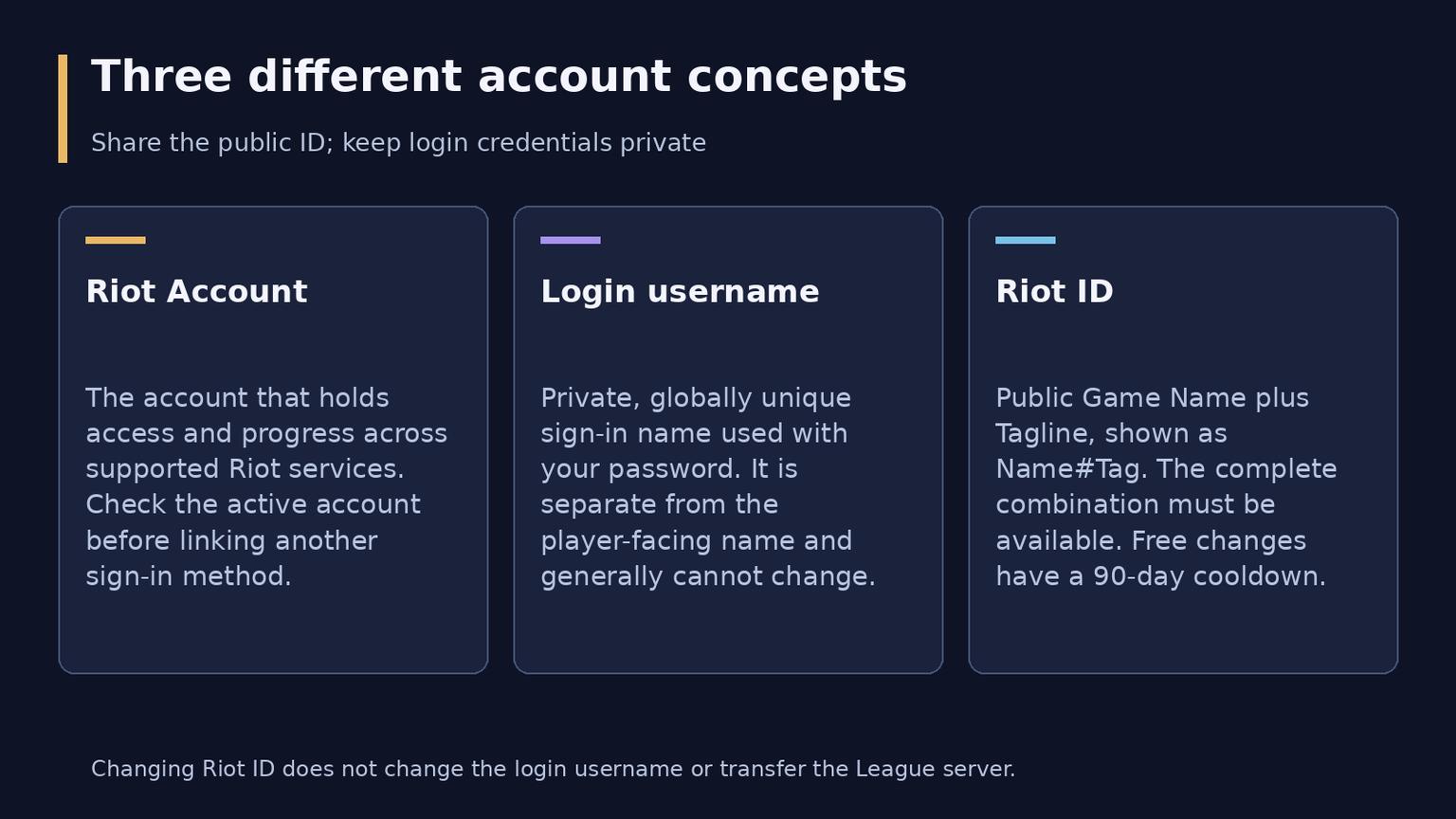
Infographic 1: the Riot Account, private login username and public Riot ID serve different purposes.
Step 1 Open the official signup route
Visit the League website at https://www.leagueoflegends.com/ and choose Play for Free. Use the signup flow reached from that site, rather than a registration service or a third-party account listing. The website language helps you read the instructions; it is not proof that the future League account is on the server your friends use.
Have access to a personal email inbox, your date of birth and a password manager or another secure way to retain the credentials. For a separate new Riot Account, use its own email address in line with Riot's current account-creation guidance. If you already have an account, confirm that you can recover or sign into it before making another one.
Step 2 Enter email birthdate and login credentials
Proceed through the form's email and date-of-birth prompts, then create the login username and password when requested. Check the username for mistakes before submitting: the public Riot ID can change later, but a normal login-name change is not offered. Choose a unique, hard-to-guess password rather than reusing the password for your email or another service.
Use your real birthdate. Riot's age eligibility and parental-approval requirements vary by region, so there is no single worldwide minimum age to apply to every signup. If a parent approval flow is required, use Riot's official process. Parental approval is not a way to bypass the region's minimum-age requirement.
Read and accept the required terms, complete any official verification prompt and retain the account details securely. The exact screen arrangement can differ between a standard signup, a supported social sign-in and a regional flow; the information being collected matters more than matching a screenshot button for button.
Step 3 Verify the email and protect access
Open https://account.riotgames.com/ to review the account and its email address. Follow the verification message or the client's verification prompt, checking the inbox and spam folder. Riot is rolling out mandatory email verification by region; where it applies, an unverified address must be confirmed to continue as instructed. Do this early instead of waiting until account recovery becomes necessary.
Enable Multi-Factor Authentication in account management. Riot supports email MFA and Riot Mobile, with email MFA enabled before setting up Riot Mobile MFA. Follow the options actually displayed for your account. Only remember a trusted device on a computer or phone you control, and protect the email account itself with its available security tools.
Riot's account-security guidance identifies authenticate.riotgames.com as its credential-entry destination. Start from official Riot pages and inspect the destination before typing a password. Do not provide a password or verification code to someone promising free RP, a quick level boost or account setup assistance. On a shared computer, sign out when finished.
Step 4 Download and install League
Use the official download page: https://www.leagueoflegends.com/en-us/download/
Choose the Windows or Mac installer for your platform, run it and allow the official setup to install the required components and game files. League uses Riot Client; there is no need to obtain a separate launcher from a third-party website. If Riot Client is already installed for another game, use the League page there to install or update League.
Check Riot's current system-requirement page before a large download. Windows and macOS are supported; compatibility depends on more than having enough RAM. On Windows, current requirements include DirectX 11 feature level 11_0. Use the current platform-specific requirements for the operating system, graphics support and storage instead of an old installation-size estimate.
On Windows, complete the Vanguard setup and restart the computer if the installer requests it. Vanguard must be available for League to run; disabling it is not a fix for a locked Play button. If an error persists, record the exact code and use Riot's matching support instructions rather than changing unrelated security settings.
Step 5 Sign in choose the League region and finish the identity
Sign into Riot Client with the account's login credentials or its linked supported sign-in method. In the current PC flow, a desktop game shortcut first opens the League page in Riot Client; select Play there after installation and updates complete. An extra launcher page does not mean you created the account incorrectly.
Riot's regional-server instructions place region selection at the first entry into the game. Review the offered League region before confirming. Do not assume that an automatically suggested location, your browser language or an email setting has already made the correct choice. Regional eligibility and verification can differ, so select from the destinations the official flow actually permits.
Create or confirm the Riot ID when onboarding requests it. Riot also provides a Riot ID section in account management. The identity prompt can appear separately from creating the private login credentials; do not treat its position as identical for every existing or newly linked account.
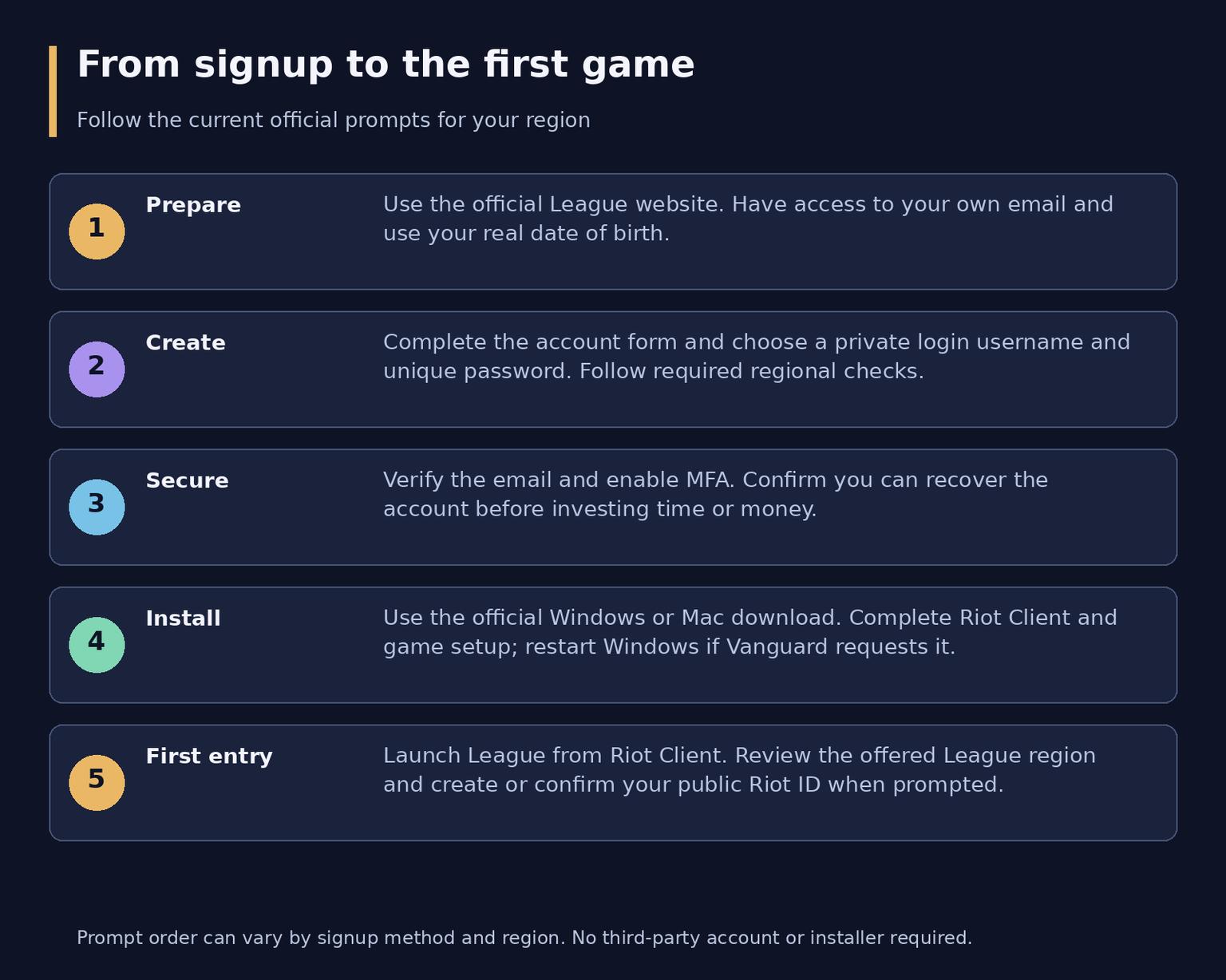
Infographic 2: signup, secure the account, install, then confirm League region and public identity during onboarding.
Riot ID rules worth checking before saving
Part | Current rule |
Game Name | 3-16 letters or numbers; must be appropriate |
Tagline | 3-5 letters or numbers; must be appropriate |
Uniqueness | The full Game Name#Tagline combination must be available |
Changes | Free, with a 90-day cooldown |
The Game Name alone does not have to be unique. If it is shared by other players, an available Tagline can distinguish your full Riot ID. Avoid personal identifying information, impersonation and names containing Riot. A rejected combination may require changing the Tagline rather than abandoning the Game Name.
Default regional tags are a special case: after changing a Tagline, Riot does not let you choose reserved region codes such as EUW, EUNE or NA. A Tagline is not a server-transfer control. Changing Name#Tag will not move your League progress to another region.
To change the public identity later, sign into account management, edit the Riot ID and save it when the cooldown permits. Check which account is active first. Your friends retain you on their lists under the new display name; the change does not replace your private username or reset the account.
Choose a server for playing rather than a label
For most newcomers, the useful comparison is between nearby regions and the one friends already use, such as EUW versus EUNE, or NA for a North American group. These are separate League regions, not interchangeable language options. Choose where you can actually queue with the intended group and obtain an acceptable connection.
Server choice affects the available League matchmaking population and the account's ranked environment. A more distant server can mean worse latency. Having a friend's Riot ID or seeing social features across Riot games does not make League matches cross-region. Confirm the same League region with friends before investing time or money.
Purchases and payment options also need the correct regional context. Do not treat a region change as a guaranteed cheaper shop or a way to obtain unavailable payment methods. If account country details are wrong, ask Riot Support about that issue; do not assume editing a personal detail performs a League server transfer.
If you started in the wrong region
Before earning much progress, deciding to create a separate account for the intended region may be simpler than transferring an established one. That account starts its own progress. Riot does not merge two played accounts, including accounts created through social sign-in, so do not expect champions and purchases from two identities to combine later.
For an existing League account, inspect the transfer option in the store's account section and check eligible destinations. Transfers are restricted and can be temporarily unavailable; some regional routes are not offered. Do not assume every region can transfer to every other region or that a fixed price in an old guide remains the relevant offer.
Riot's current transfer rules have a 90-day cooldown. Account level, champions, skins and the friends list transfer, but the current ranked placement does not; placement games are needed on the new server. Review the destination, availability and confirmation carefully, because Riot says accidental transfers cannot be reversed or refunded.
Your first games and gradual unlocks
Complete the introduction and the beginner tasks shown by the client, then try a small champion pool against bots before rushing into competitive games. Claim the rewards actually offered to your account. Beginner content and regional rotations can differ, so a guide should not promise the same fixed starter roster to every player.
Milestone | Current access described by Riot |
Starting access | Co-op vs. AI and custom games |
Level 3 | Swiftplay and ARAM |
Level 9 | Practice Tool |
Level 10 | Normal Draft |
Ranked entry | Level 30, at least 20 champions and 10 Swiftplay or Normal Draft games |
The queue picker may show additional eligibility conditions for a mode or account. Ranked eligibility is not the same as a finished rank: Riot currently uses five placement matches in each ranked queue. Do not copy a Classic progression level into these ordinary League requirements.
Blue Essence is earned through progression and rewards and can be used to unlock champions. A free rotation lets you try available champions without owning them permanently. Use those opportunities before spending currency on a large roster you have not tested. A free trial champion is not the same as a purchased permanent unlock for eligibility checks.
At level 10, Riot's reward track lists a new rune page. Use the rune and Summoner Spell choices currently available in your client as progression opens them; a page reward is not proof that every configuration or spell unlock happens at the same level. This account guide does not require buying Classic stat runes or memorizing a full unlock chart.
RP purchases and cosmetics are optional. They are not needed to verify an account, install League or begin learning. Paid purchases also do not replace the level, champion and game-count conditions for Ranked.
Social sign-in without creating a duplicate account
Riot documents Facebook, Google and Apple as social sign-in methods. Use the official options shown for your platform and region. Social sign-in is a way to authenticate a Riot Account, rather than a different collection of League progress that can automatically be merged with your old account.
If you already play on a Riot Account, link the desired social account to that existing identity through account management. Check the displayed Riot ID and owned content after signing in. If the client appears to show a brand-new profile, confirm the account and region before making purchases or spending time on it.
Check these before the first match
Make sure you can reopen the email inbox, distinguish the private username from Name#Tag, identify the selected League region and launch the updated game from Riot Client. Verify the account and enable MFA while the details are fresh. Then choose an available introductory activity and learn one champion's movement, attacks and abilities.
If something fails, identify which stage failed. An unavailable username is a signup issue; a rejected Riot ID is a display-name issue; a missing friend lobby may be regional; a Vanguard or hardware message is a launch issue. Recreating accounts repeatedly will not resolve every one of those problems.
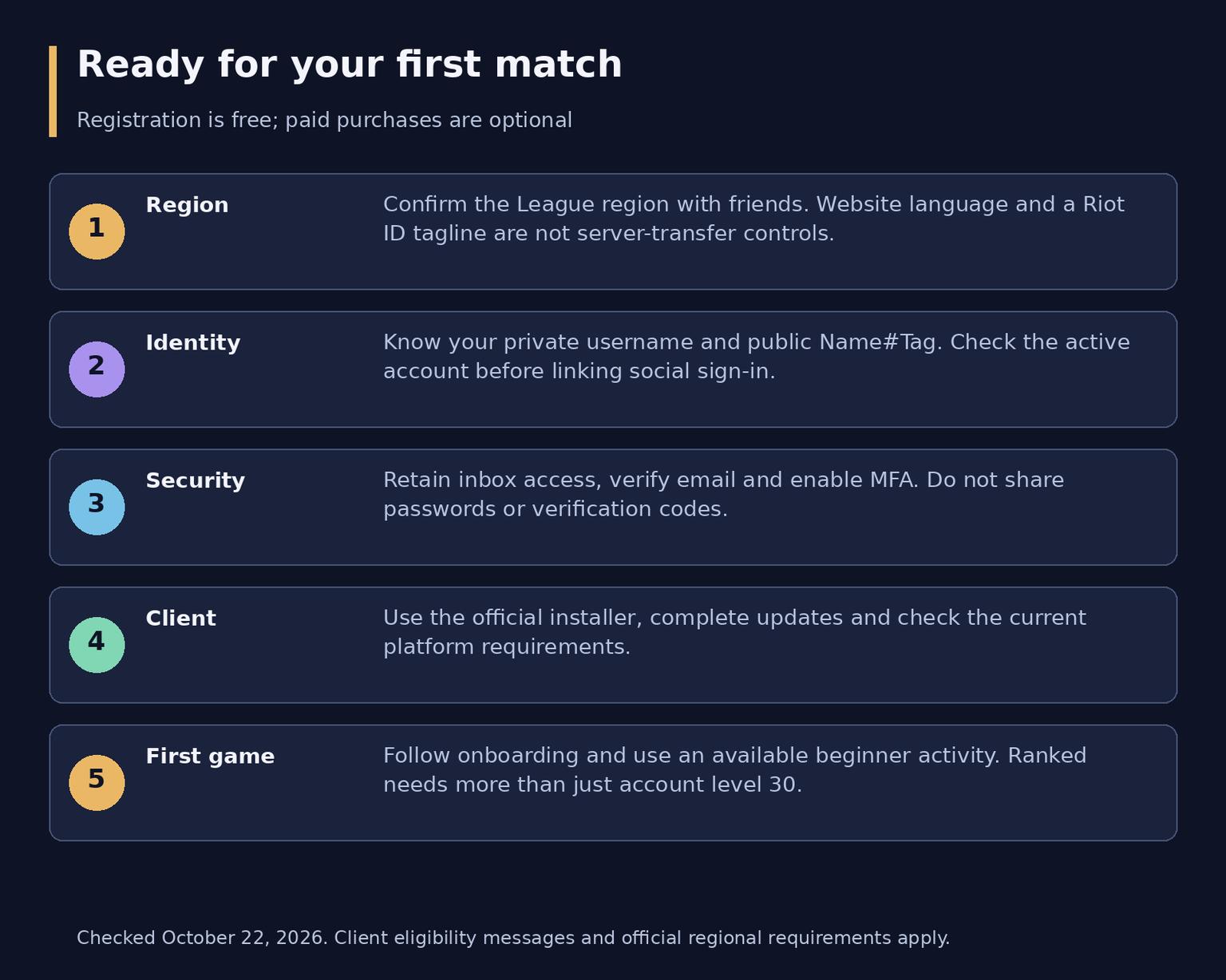
Infographic 3: region, public identity, account security, installation and an appropriate first activity.
Frequently asked questions
Is creating a League of Legends account free?
Yes. Registration, installation and starting to play are free. Optional RP purchases, cosmetics and paid offers are separate; no purchase is needed simply to create and verify the account.
Is my Riot ID the username I sign in with?
No. The private login username is used for authentication. Riot ID is the public Game Name#Tagline shown to other players. Give friends the full Riot ID, not your login details.
Can I change my Riot ID later?
Yes, for free on a 90-day cooldown through account management. The full new combination must be available and meet the naming rules. A Riot ID change does not change the login username or League server.
What should I do if I chose the wrong region?
Confirm the actual League region first. For an established account, review the current transfer offer and restrictions; for a fresh start, a separate account may be an option. Progress from two played accounts cannot be merged, and not every transfer destination is available.