How to Access WoW Forever Beta: Opt In, Bundles and Installation
World of Warcraft: Forever beta access comes from a selected opt-in invitation or an eligible digital bundle. Submitting a request does not grant a seat. Skyborne Epic Pack and Warcraft Forever Collection include regular beta access; Skyborne Heroic Pack does not.
This guide was checked on October 18, 2026, while the beta is active. Blizzard names October 21 as the last full testing day. A separate open stress test is now scheduled for October 21, following a change from October 19. Its temporary free entry should not be confused with an ongoing regular beta license.
Before spending money this late in testing, decide whether you want a short preview, the other pack benefits or ordinary launch access. The global release is announced for November 4 at 3:00 p.m. PST, which is November 5 at 02:00 Moscow time.
Compare the available ways to participate
Route | What it provides | What it does not promise |
Official beta opt-in | Entry into the selection pool | An invitation, a fixed response date or published selection odds |
Skyborne Epic Pack | Regular beta access included in the bundle | Instant activation, uninterrupted servers or permanent test progress |
Warcraft Forever Collection | Regular beta access plus the Collection's other contents | A longer beta period than the announced test window |
October 21 stress test | Open participation during the limited test window | Regular beta access before or after that window |
Heroic includes the Skyborne race and Early Name Reservation, but neither benefit is regular beta access. A WoW subscription alone is also not a confirmed invitation. Base launch access, optional race upgrades and beta participation are different entitlements.
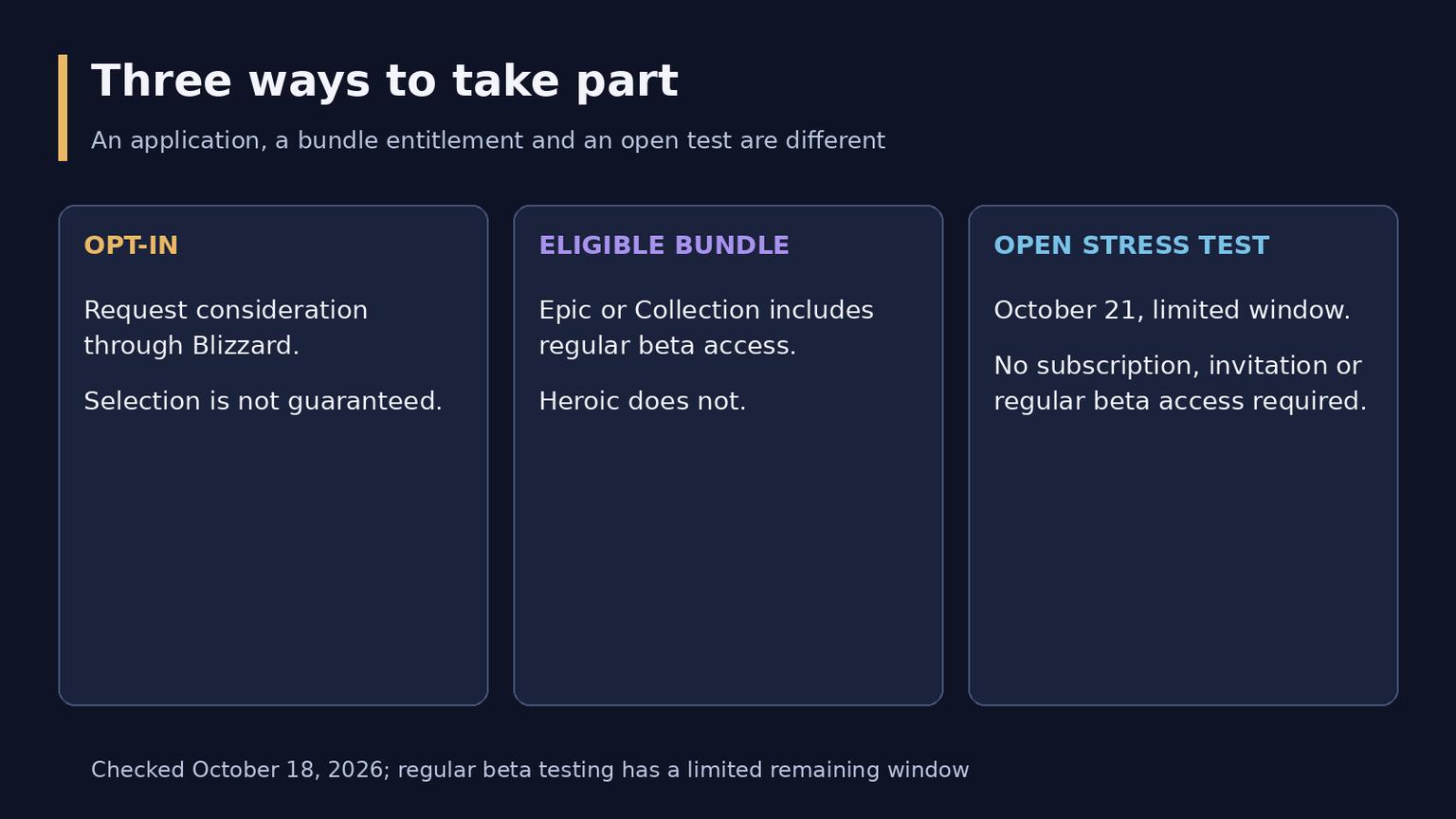
Three participation routes and their limits
Submit an opt-in request
Start from Blizzard's Forever beta announcement and follow its official sign-up link to the Forever website. Use the Battle.net account on which you intend to test, rather than another account that happens to be signed into the browser.
1. Open the official Forever sign-up destination linked by Blizzard.
2. Sign in with the intended Battle.net account if requested.
3. Use the beta sign-up control and complete the form and terms currently shown.
4. Treat a submitted request as an application, then check the account and Battle.net app for access.
The exact screen can change with sign-in state, language and the testing phase. A request confirmation is not an invitation. If the current page no longer accepts applications, use the latest official testing announcement rather than an old screenshot or a third-party replacement form.
Blizzard says invitations are sent regularly during the test, but it has not published a precise wave timetable or your individual odds. Repeated requests, account age and ordinary subscription payments should not be presented as confirmed ways to force selection.
Use bundle access only when the contents suit you
The published qualifying digital options are Skyborne Epic Pack and Warcraft Forever Collection. The Collection includes the Epic benefits plus Warcraft III: Reforged and Forsaken Kingdom. The additional game time in these bundles starts at Forever's launch, not on the day you first install the beta.
Before purchase, sign into the intended account and read the product page shown for your country and region. Confirm that it explicitly lists Forever beta access and that the purchase can be completed on that account. A price quoted in another currency or a screenshot from another storefront does not establish local availability.
This guide does not provide a universal country eligibility list or promise that regional promotional codes work elsewhere. If an account is ineligible or the store does not offer the product, ask Blizzard Support about that account's conditions. Changing a launcher setting is not evidence that purchase restrictions or entitlements have changed.
Eligible purchases can take up to 30 minutes to activate according to Blizzard, and restarting the launcher may be necessary. This is a normal activation note, not a guarantee that every transaction or technical problem resolves within that period. Do not buy the same benefit again simply because the menu has not refreshed immediately.
Confirm the license and install the correct client
An invitation email can alert you, but verify access directly. Blizzard advises checking for a World of Warcraft: Forever beta license under Your Game Accounts in Battle.net account management. This also helps distinguish an actual entitlement from an email claiming you have one.
1. Update your graphics drivers and the Battle.net desktop app.
2. Sign into the account that received the invitation or eligible purchase.
3. Select World of Warcraft and open the Game Version menu above Play.
4. Choose World of Warcraft: Forever Beta under In Development, then select Install.
5. Finish the installation, select Play and choose an available test realm.
6. Create a test character when the option is available.
The beta is a separate version in the launcher. Installing or opening a normal WoW client is not the same thing as installing Forever Beta. Follow the current menu labels; localized wording or launcher organization may differ from an early preview image.
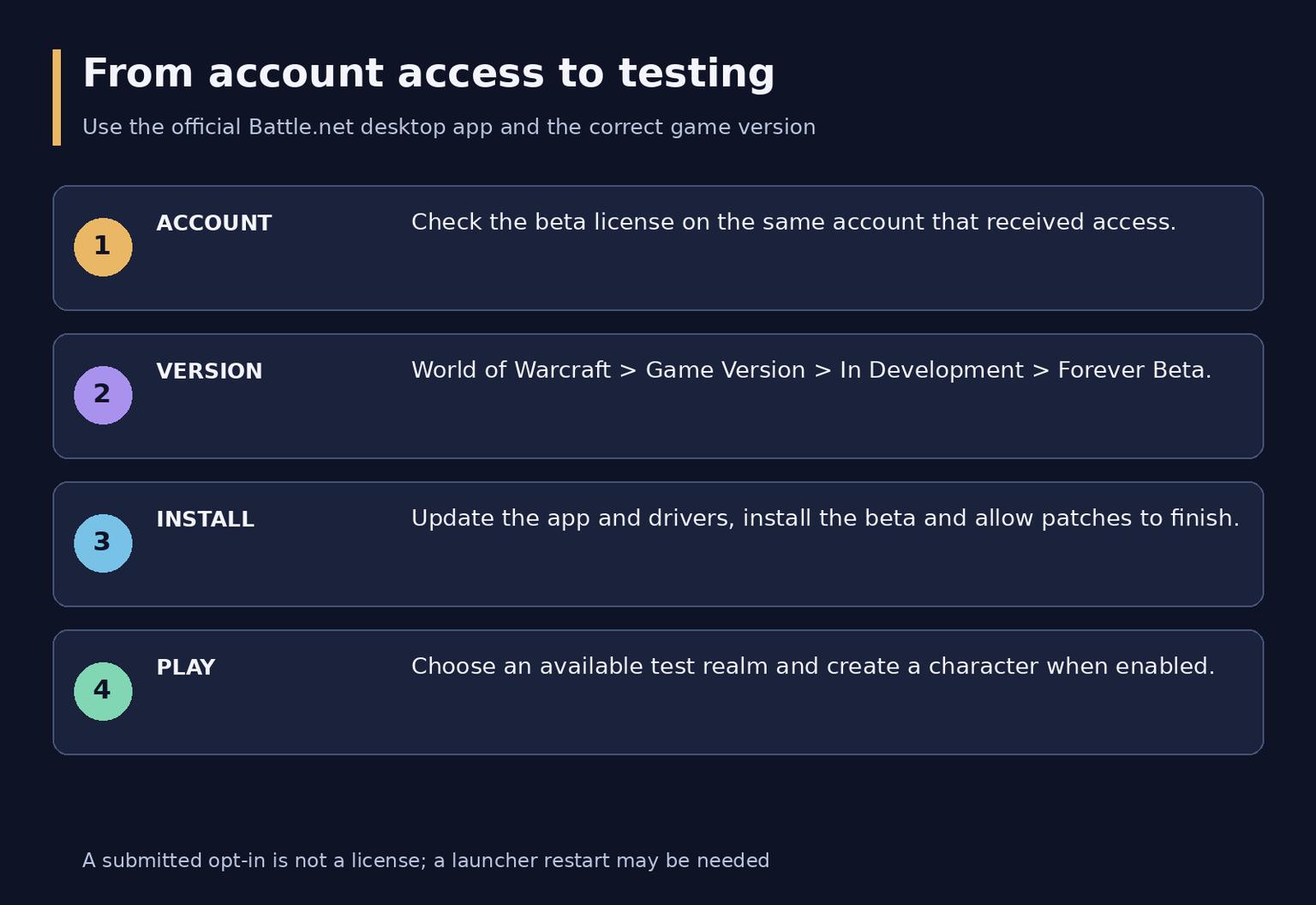
Four stages from account access to a test character
If the beta option is missing
First separate a missing license from a technical installation problem. These situations need different checks.
Situation | First useful check |
You submitted an opt-in but have no license | Selection may not have happened; a request does not grant access |
You bought Heroic | Its published contents exclude regular beta access |
You bought Epic or Collection recently | Check the account and purchase record, allow the stated activation delay and restart the app |
The license exists but the menu is absent | Sign out and back into the same account, update the app and check the correct Game Version menu |
The client installs but servers are unavailable | Check official beta maintenance and test notices before reinstalling |
For persistent installation, patching or connection errors, use Blizzard's technical support resources and record the exact error, client version and time. Reinstalling repeatedly will not resolve an account that has never received a beta entitlement.
Open Battle.net and account management directly if an invitation looks suspicious. Do not send your password or authentication code to someone offering to activate access. The useful confirmation is the account license and the official client, not the appearance of a message.
The open stress test is a separate opportunity
Blizzard's updated announcement opens the stress test to interested players without a subscription, Game Time, invitation or regular beta entitlement. For Europe, the published start is October 21 at 19:00 CEST, or 20:00 Moscow time. Other regions have their own listed local starts; do not reuse the European clock as a global opening time.
In Battle.net, select World of Warcraft: Forever Stress Test under In Development. This is the stress-test entry, not an instruction to obtain a regular beta license. The beta will go offline shortly before the test and is expected to return afterward; the window can end earlier or run later as needed.
Characters, names and guilds created on the stress-test servers will be deleted afterward. Use the event to test performance, controls and the basic experience rather than to secure a permanent character name.
What testing progress is for
The regular beta began with a level 20 cap, and the early October update raised the cap to 30. Later builds also opened additional content, including City of Dalaran. An early Week 1 list is not a complete account of the current test, while beta access still does not grant the whole live level 1-60 journey.
Treat test progress as temporary; beta character progress does not carry into launch. Early Name Reservation is a separate October 27-November 3 window, PST, included with any upgrade purchase. It allows up to three characters, with names first come first served and no guarantee of a desired name. A beta character's name is not automatically a reserved launch name.
Invite-A-Friend Launch Codes are also separate: the published codes cover the launch-week window of November 4-11 and do not include beta access. A friend invitation for launch is not a method of entering today's regular beta.
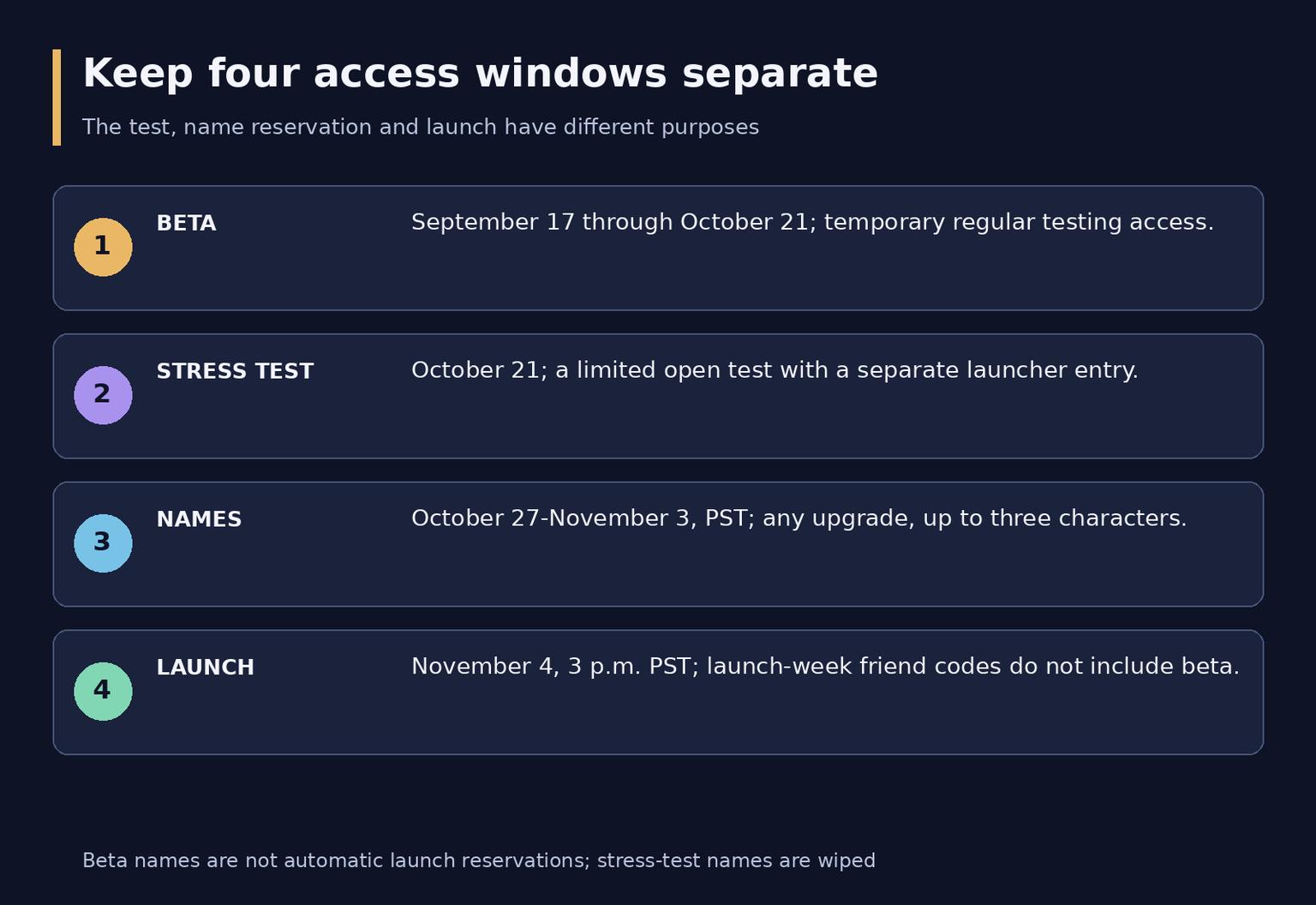
Keep the four access windows separate
Common access questions
Is the opt-in guaranteed
No. It requests consideration. The account must actually receive access before you can use the regular beta client.
Does buying Epic bypass server downtime
No. The bundle includes the beta entitlement, but maintenance, queues and technical interruptions remain possible during testing.
Does name reservation survive a beta character wipe
The reservation program is separate from beta progress. Use its announced window and qualifying account; creating a beta character does not perform that reservation for you.
Is there a console route
The published installation route uses the Battle.net desktop app. Gamepad support is not an announcement of a console beta. Check the product's current computer requirements rather than equating controller support with another platform.
Which option makes sense now
For a limited preview, compare the remaining regular beta period with the open stress-test window. Buy a bundle only if its published benefits suit your plans, and recheck the official schedule before relying on any remaining test time.