Battlefield 6 Flying Guide – How to Fly Jets and Helicopters
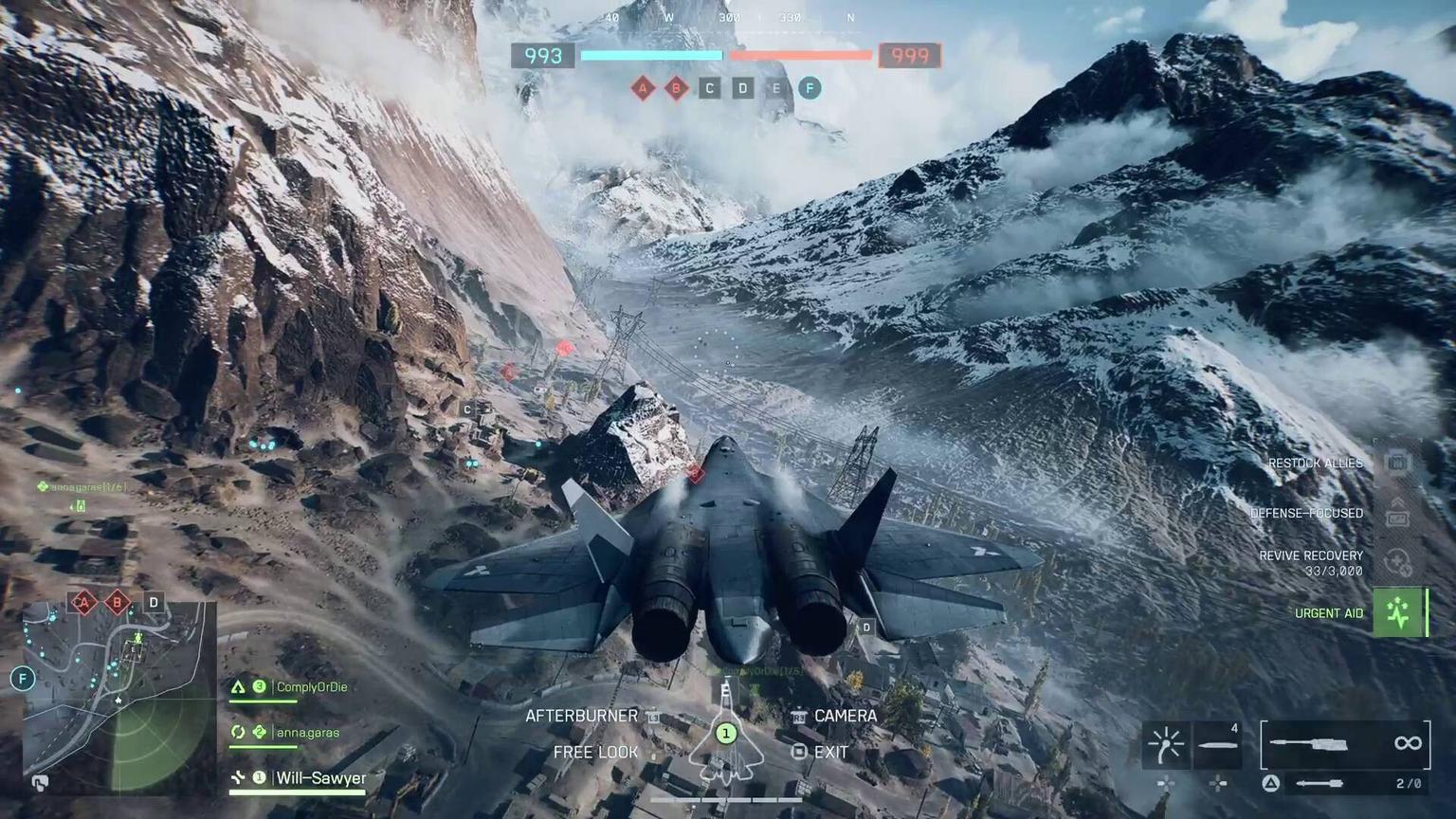
Battlefield 6 Flying Guide — Master Jets & Helicopters Like a Pro
Flying aircraft in Battlefield 6 is one of the most demanding, skill-heavy, and rewarding parts of the game. Whether you're trying to dominate the skies with jets, support teammates from above in a helicopter, or simply learn how to stop crashing during takeoff — this expanded Battlefield 6 Flying Guide covers everything you need.
You’ll learn how to:
Fly jets and helicopters safely and efficiently
Take off, land, and maneuver without losing control
Win dogfights and survive missile locks
Perform air-to-ground strikes
Tune your controller and PC settings
Practice flying using Portal modes
Secure air vehicles consistently
Improve your flying fundamentals and situational awareness
If you want to skip the grind entirely and start with fully upgraded aircraft, Dving.net offers Battlefield 6 Vehicle Leveling — immediate access to top-tier attachments, weapons, and mobility upgrades so your jet or chopper reaches full performance from day one.

How Flying Works in Battlefield 6
Air vehicles in BF6 aren’t simple to handle. Jets are blisteringly fast and sensitive to every input, while helicopters require constant micro-adjustments to maintain stability. Both require practice, and both reward pilots who understand throttle control, yaw/roll coordination, and situational awareness.
You can fly aircraft using:
Controller — more stable, smoother for helicopters
Keyboard + mouse — more precise for jets, better aiming
Aircraft spawn at your team's HQ or designated base. You can freely practice movement, shooting, and takeoff procedures before entering real combat — something highly recommended for beginners.
Best Battlefield 6 Flying Settings
Before mastering combat, make sure the aircraft actually responds to your inputs.
Controller Settings
Controllers offer smoother analog control — especially for helicopters. Below is the enhanced control reference (expanded for clarity):
Action | Control | Notes |
|---|---|---|
Pitch & Roll | Right Stick | Forward/backward tilt + wing banking |
Yaw & Throttle | Left Stick | Rudder control + speed |
Shoot Weapons | R2 / RT | Main guns or rockets |
Switch Weapons | Triangle / Y | Cycle weapon systems |
Zoom | L2 / LT | Aiming, rocket accuracy |
Switch Camera | R3 | Toggle 1st/3rd person |
Afterburners (Jets) | L3 | High-speed burst |
Equipment | D-Pad L/R | Countermeasures, utilities |
Freelook | Hold D-Pad Down | Situational awareness |
Exit Vehicle | Square / X | Use carefully |
Tip:
The Alternate Layout massively improves helicopter handling by moving throttle to triggers. If you plan on flying helis long-term, switch ASAP.
PC Flying Settings
Mouse + keyboard provide sharper control inputs, but require proper tuning to avoid overcorrection.
Action | Control | Purpose |
|---|---|---|
Pitch & Roll | Mouse | Responsive aiming and flight adjustments |
Throttle | W / S | Speed up / slow down |
Yaw | A / D | Precise horizontal steering |
Adjust sensitivity gradually.
Too high = spinning out
Too low = sluggish turns
How to Practice Flying in Battlefield 6
The best way to improve is through Portal, which offers dedicated flight practice maps created by the community and by EA.
How to Access Practice Servers
Open Community tab
Select Browse Servers
Filter for “Jets,” “Helicopters,” or “Training”
Use servers such as:
DXS4 — Vehicle & Soldier Shooting Range
6GVY — Helicopter and Jets Practice
X8XB — Official Ace Pursuit dogfight training
You can also host locally to practice without pressure.
Verified Portal servers = XP
Custom servers = no XP but best for training
If even practice feels overwhelming, consider a Battlefield 6 Coaching session — fly alongside an experienced pilot who will walk you through advanced maneuvers live.
Battlefield 6 Flying Tips (Expanded Guide)
Flying becomes drastically easier when you understand a few core rules:
Never fly straight
Straight lines attract missiles.
Vary your:
altitude
direction
speed
roll angle
Use flares only when the missile is in the air
Trigger flares on INCOMING notification — not on lock-on.
Use terrain defensively
Hills, ridges, tall buildings all break the enemy’s line-of-sight.
Throttle management = life
More speed = weaker turning
Less speed = tighter turning but higher crash risk
Return to base for repairs
Jets and some helis don’t self-repair.
Never hover unless absolutely safe
Still aircraft = free kill.
Bring a gunner
Attack helicopters become exponentially stronger with a dedicated gunner.
How to Fly Jets in Battlefield 6
Jets are the fastest, deadliest vehicles in BF6 — but beginner pilots often stall, overcorrect, or crash during takeoff. Here's how to stabilize your learning curve:
Step 1 — Takeoff
On runway: full throttle → gentle pitch
Mid-air spawn: stabilize immediately
Step 2 — Secure the Skies First
Your priority:
Kill enemy jets and helis.
Jets dominate air-to-air and shred helicopters even through flares.
Step 3 — Dogfighting Techniques
Maintain high but controlled speed
Tight turns by lowering throttle
Avoid vertical climbs — jets lose speed fast
Use freelook to track enemies
Burst afterburners to regain energy
Step 4 — Ground Attack
Once airspace is yours:
Approach at a shallow dive
Fire payload
Pull up sharply
Use terrain to mask retreat
Never fly directly above enemy lines
Jet Control Breakdown
Right Stick / Mouse → pitch + roll
A/D → yaw turns
W/S → throttle
Afterburner = L3
R2 → fire
Triangle → weapon switch
D-pad → equipment
R3 → camera
D-pad down → freelook (dogfight essential)
How to Fly Helicopters in Battlefield 6
Helicopters require smooth inputs — they punish panic and sudden movements.
Core Principles
Throttle controls altitude
Pitch moves forward/backward
Yaw turns gently
Roll banks the aircraft
Alternate Controller Layout = huge improvement
Throttle on triggers feels natural and reduces accidental stalls.
Takeoff
Increase throttle slowly
Pitch forward slightly to gain speed
Never hover in open areas
In Combat
Stay behind cover
Attack in short bursts
Coordinate with your gunner
Use flares only on INCOMING
Break line-of-sight immediately after flaring
How to Get Jets and Helicopters
Air vehicles spawn only on large modes and maps:
Conquest
Breakthrough
Operations
Large open-world maps (Mirak Valley, Firestorm, Blackwell Fields)
Spawn Timers
Jets: 30–60 seconds after match start
Helicopters: appear slightly earlier
Other methods:
Spawn on a teammate already flying
Wait on the deployment screen for respawn timers
Coordinate with friends
Battlefield 6 Flying FAQ
How do I fly planes?
Spawn a jet → full throttle → gentle pitch → use yaw/roll to maneuver.
How do I take off on a runway?
Full throttle → wait for speed → lightly pull upward.
How do helicopters work?
Throttle = height, pitch = directional tilt, yaw = turning.
Can I change flying controls?
Yes — full controller and PC mapping customization is available.
When do jets/helis spawn?
Usually 30–60 seconds into the match; then on cooldown.
How to practice flying?
Use Portal practice servers.
How to survive lock-ons?
Use flares only on “INCOMING,” then break line-of-sight.
Conclusion
Flying in Battlefield 6 is challenging at first, but once mastered, it becomes one of the most rewarding and impactful roles in the entire game. Jets and helicopters let you shape the match from above, support teammates, destroy vehicles, and turn entire engagements around.
If you want a faster way to reach full power, Dving.net offers Battlefield 6 Vehicle Leveling and Coaching — start flying upgraded aircraft immediately, learn advanced maneuvers, and become a fearsome pilot in any match.